

Selection and sampling tips
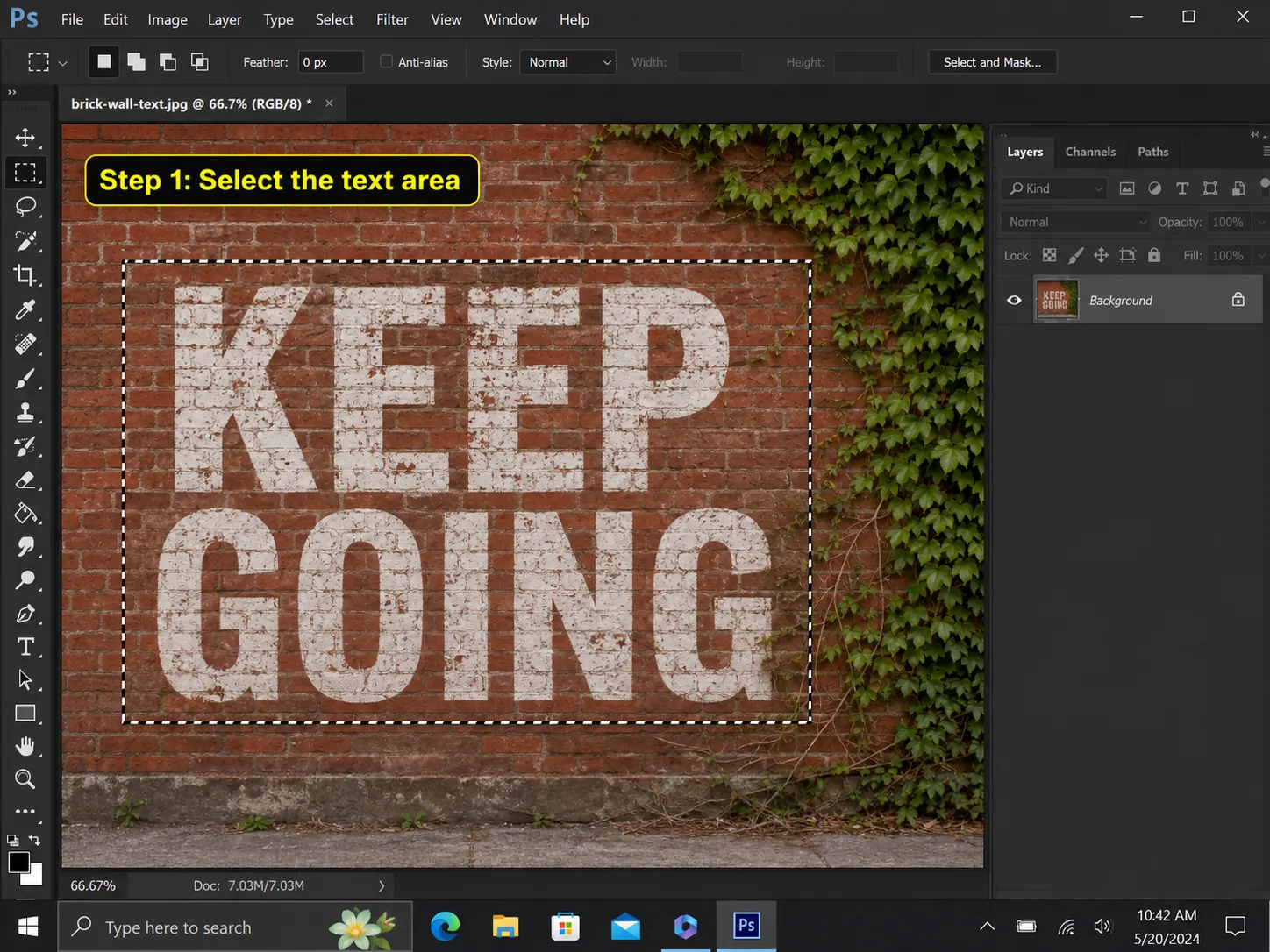
A selection that touches the letter edges too closely can leave a pale outline. Expand the selection slightly when the type has a stroke, shadow or painted texture.
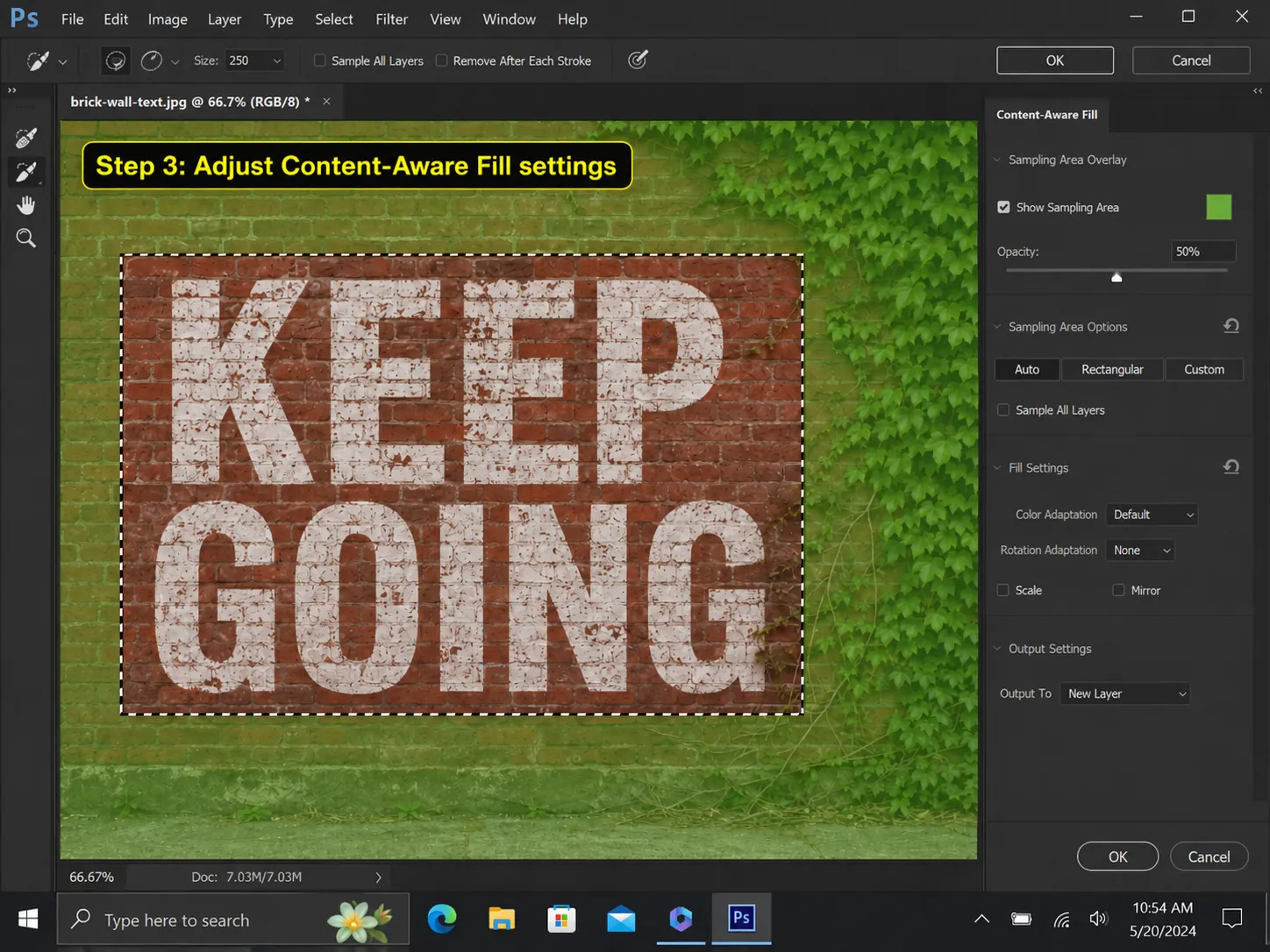
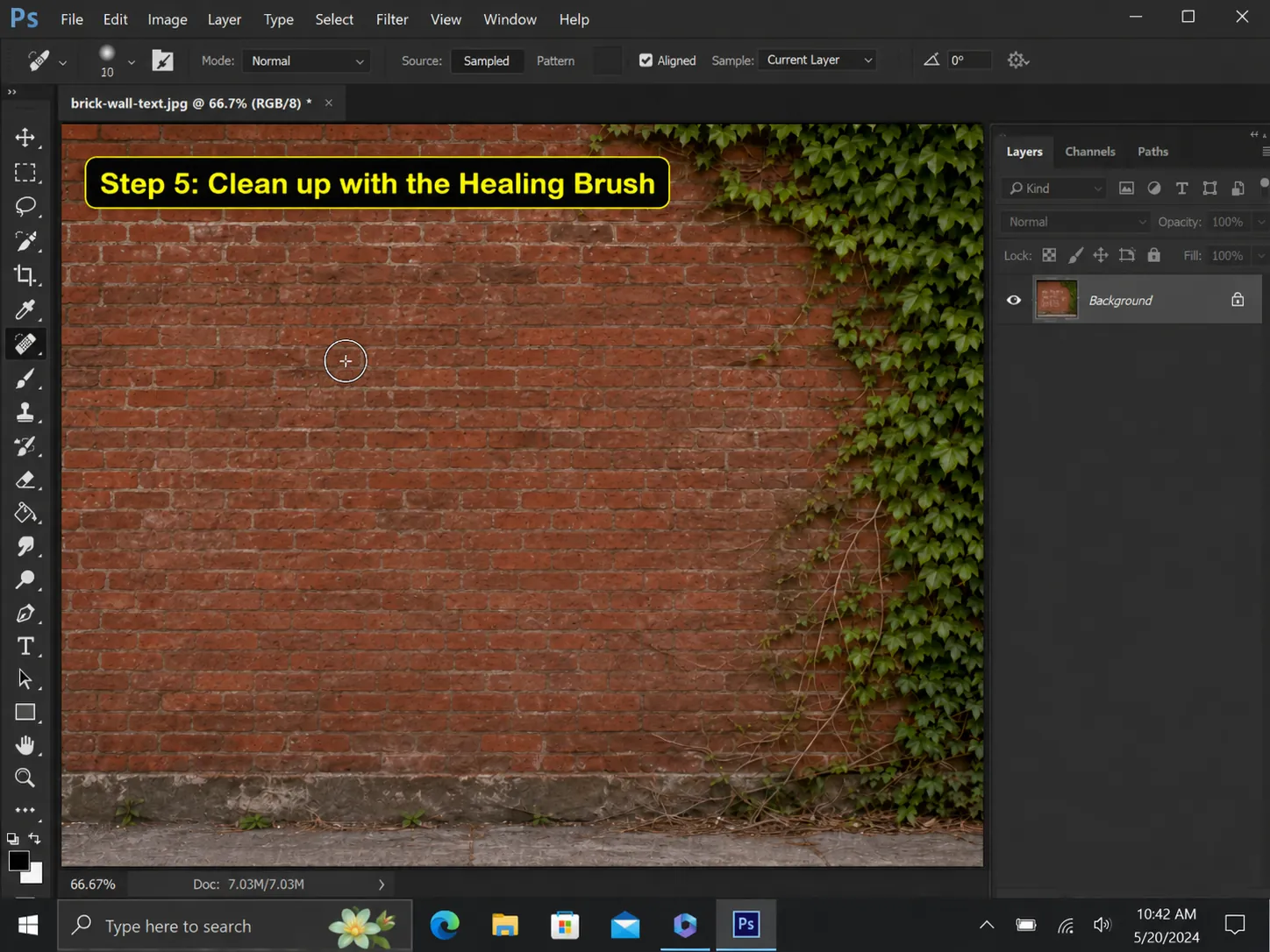
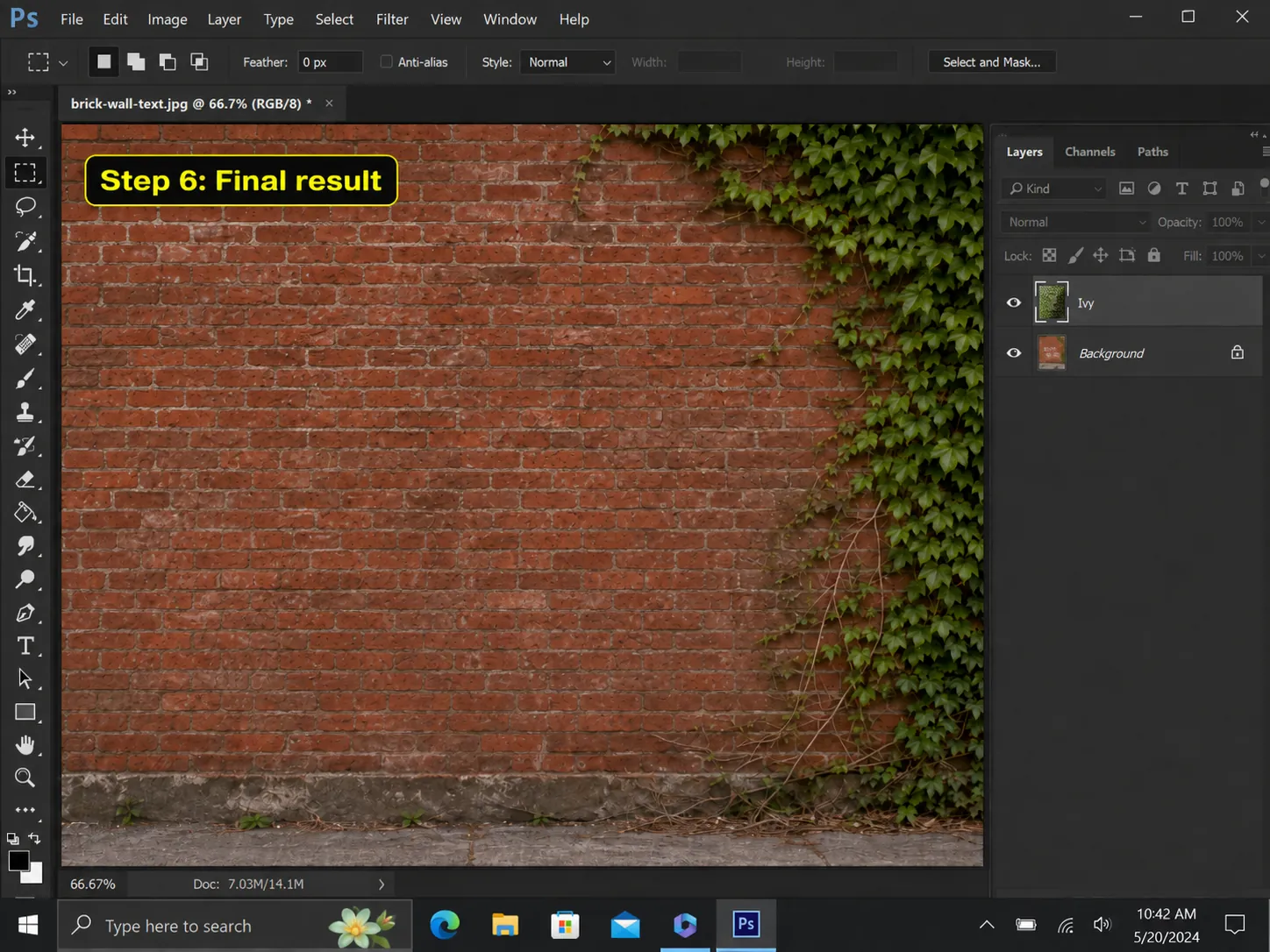
Sampling quality matters more than selection shape on patterned backgrounds. Remove leaves, people and unrelated objects from the sampling overlay so they are not copied into the fill.
- Use Select and Modify to expand a tight selection
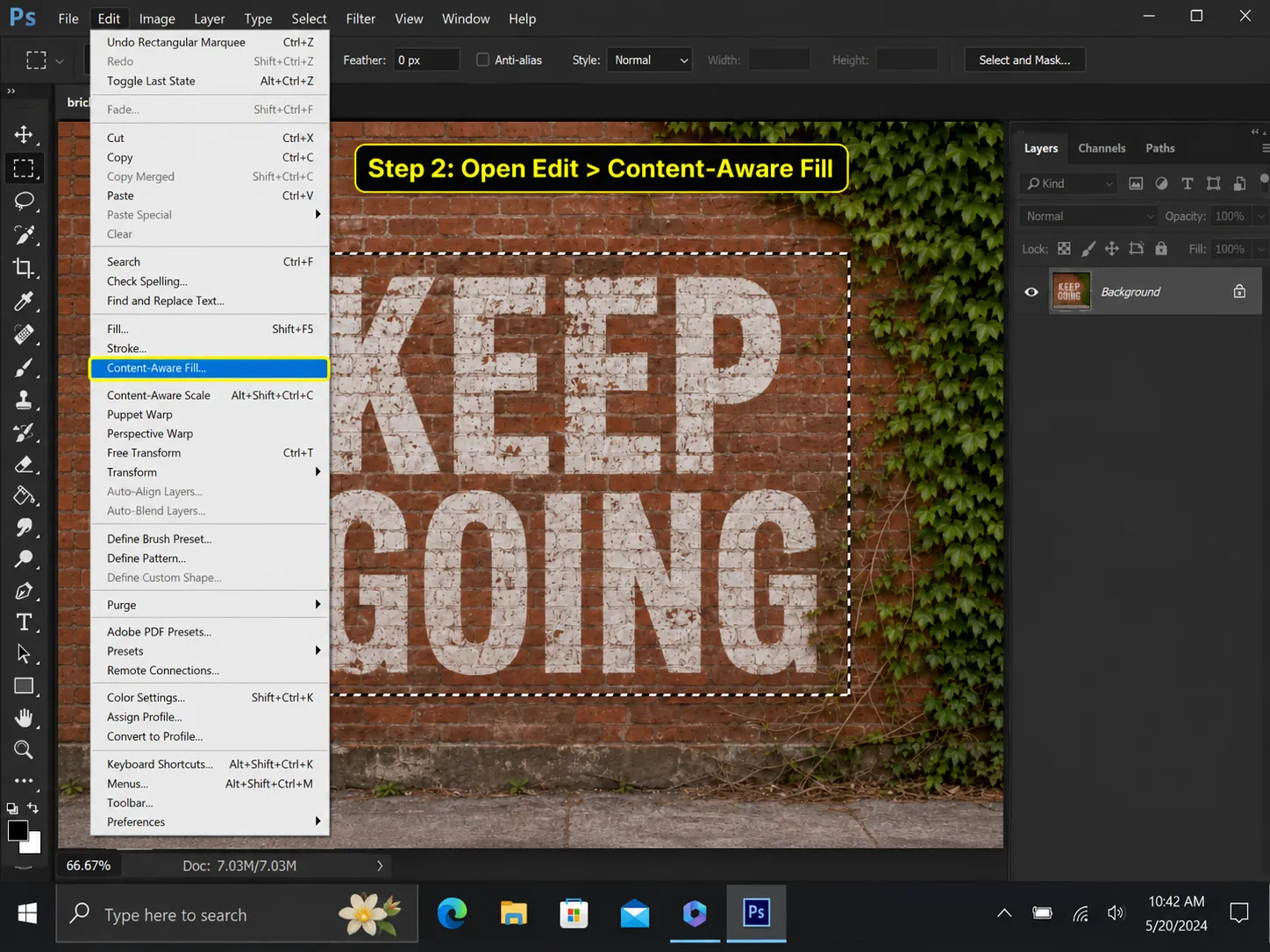
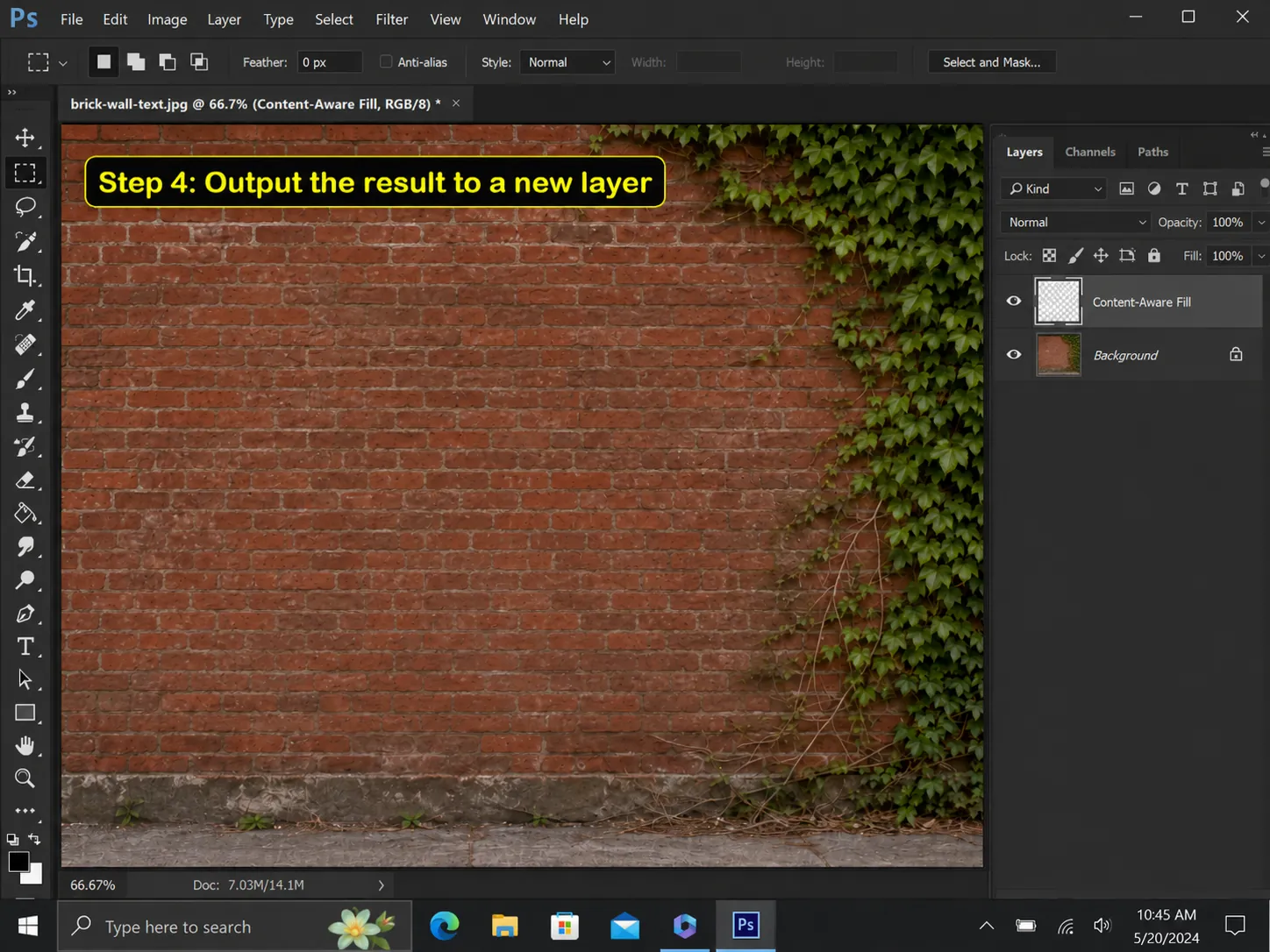
- Output to a new layer instead of the background
- Repair long lines and repeating brick seams last